Use these components to generate, receive, transmit, convert, and process NetFlow or IPFIX records.
Component Reference
Verify addresses, ports, templates, and transport roles across both ends of a flow-record connection.
NextIO NetFlow service components This page documents 5 components in the NetFlow Services palette group.
For the shared Name, Notes, display, and pad-editing controls, see Common Component Properties.
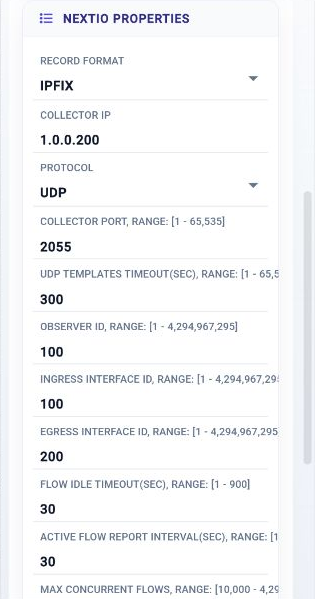
IPFIX Generator

Generate IPFIX Flow record to server
| Connection | Initial count | Initial pad names | Allowed count | Properties panel |
|---|---|---|---|---|
| Input | 1 | 1 | 1 | Hidden (fixed) |
| Output | 1 | Flow Records | 1 | Hidden (fixed) |
Configuration Reference
-
Record Format —
Record Format
Initial value:
2. -
Collector IP —
Flow Collector destination IP address
Initial value:
1.0.0.200. -
Protocol —
Flow Collector protocol
Initial value:
udp. -
Collector Port —
Flow Collector destination Port address
Initial value:
2055. -
UDP Templates Timeout(Sec) —
Interval to send UDP templates
Initial value:
300. -
Observer ID —
Flow Generator Observer ID
Initial value:
100. -
Ingress Interface ID —
Ingress interface ID
Initial value:
100. -
Egress Interface ID —
Egress interface ID
Initial value:
200. -
Flow Idle Timeout(Sec) —
Flow Idle Timeout In Seconds
Initial value:
30. -
Active Flow Report Interval(Sec) —
Active Flow Report Timeout In Seconds
Initial value:
30. -
Max Concurrent Flows —
Max. concurrent flows to track
Initial value:
500000. -
Use VLAN ID —
Use VLAN ID as part of flow key
Initial value:
Enabled. -
Use Uni-Flow Stats —
Report uni-flow stats instead of bi-flow
Initial value:
Disabled. -
Activation Mode —
Standalone or watch when HA enters active
Initial value:
standalone. -
Active when HA instance is active —
Active when HA instance is active
Initial value:
Required. -
Verdict from State Monitor —
Active based on the verdict from the State Monitor Component
Initial value:
Required. -
Compute Resources —
Allocate compute resource for the service
Initial value:
1 configured item.
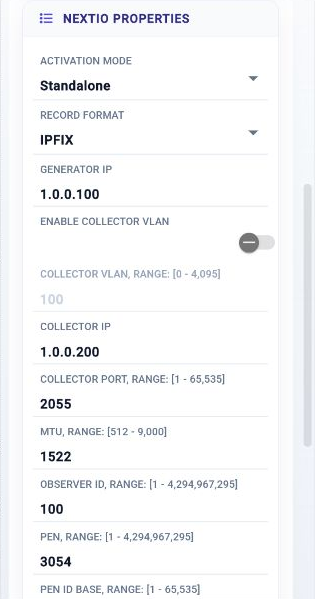
DNS to JSON

Convert DNS to JSON or NetFlow IPFIX record to server
| Connection | Initial count | Initial pad names | Allowed count | Properties panel |
|---|---|---|---|---|
| Input | 1 | 1 | 1 | Hidden (fixed) |
| Output | 2 | Records, Malform | 2 | Hidden (fixed) |
Configuration Reference
-
Activation Mode —
Standalone or watch when HA enters active
Initial value:
standalone. -
Active when HA instance is active —
Active when HA instance is active
Initial value:
Required. -
Verdict from State Monitor —
Active based on the verdict from the State Monitor Component
Initial value:
Required. -
Record Format —
Record Format
Initial value:
2. -
Generator IP —
Flow Generator IPv4 address
Initial value:
1.0.0.100. -
Enable Collector VLAN —
Enable Flow Collector VLAN Tag
Initial value:
Disabled. -
Collector VLAN —
Flow Collector VLAN
Initial value:
100. -
Collector IP —
Flow Collector destination IPv4 address
Initial value:
1.0.0.200. -
Collector Port —
Flow Collector destination Port address
Initial value:
2055. -
MTU —
UDP MTU to use
Initial value:
1522. -
Observer ID —
Flow Generator Observer ID
Initial value:
100. -
PEN —
Private Enterprise Number
Initial value:
3054. -
PEN ID Base —
ID Base used by the Private Enterprise
Initial value:
208. -
DNS Template ID —
ID to be used by the DNS template
Initial value:
263. -
Log All Malformed DNS Packets —
Log all malformed DNS packets
Initial value:
Disabled. -
Check NULL in DNS Name —
Check DNS name for character of 0
Initial value:
Disabled. -
Drop Record with NULL in DNS Name —
Drop DNS records with NULL byte in the DNS name
Initial value:
Disabled. -
Log DNS Name with NULL —
Log DNS packets with NULL in the name
Initial value:
Disabled.
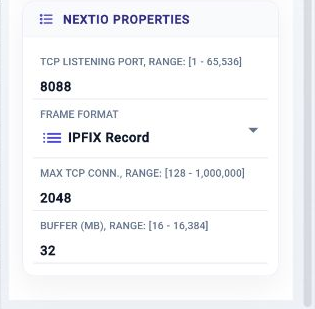
NetFlow TCP Server

NetFlow | IPFIX TCP Server
| Connection | Initial count | Initial pad names | Allowed count | Properties panel |
|---|---|---|---|---|
| Input | 1 | 1 | 1 | Hidden (fixed) |
| Output | 1 | 1 | 1 | Hidden (fixed) |
Configuration Reference
-
TCP Listening Port —
TCP listening Port
Initial value:
8088. -
Frame Format —
Optimized for the framing structure
Initial value:
ipfix. -
Max TCP Conn. —
Maximum incoming TCP connections
Initial value:
2048. -
Buffer (MB) —
Max TCP to UDP conversion buffer measured in MB
Initial value:
32.
NetFlow TCP Client

NetFlow | IPFIX TCP Client
| Connection | Initial count | Initial pad names | Allowed count | Properties panel |
|---|---|---|---|---|
| Input | 1 | 1 | 1 | Hidden (fixed) |
| Output | 1 | 1 | 1 | Hidden (fixed) |
Configuration Reference
-
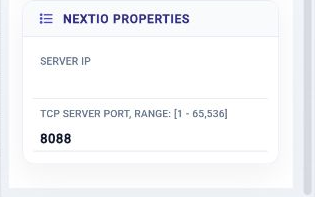
Server IP —
Server IP
Initial value:
Required. -
TCP Server Port —
TCP Server Port
Initial value:
8088.
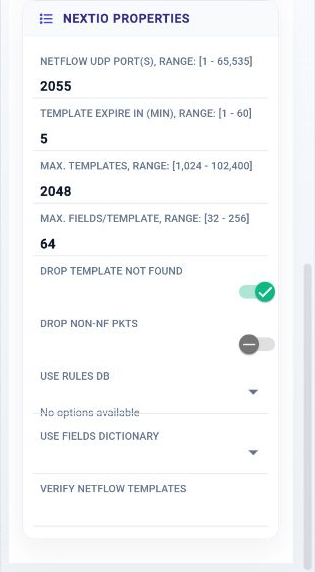
NetFlow Proxy

Process and Edit NetFlow Flow Records
| Connection | Initial count | Initial pad names | Allowed count | Properties panel |
|---|---|---|---|---|
| Input | 1 | 1 | 1 | Names editable |
| Output | 1 | 1 | 1 | Names editable |
Configuration Reference
-
NetFlow UDP Port(s) —
NetFlow UDP port number, example: 2055
Initial value:
2055. -
Template Expire in (Min) —
NetFlow templates life time measured in minutes
Initial value:
5. -
Max. Templates —
Specify the max number of unique templates, [1024, 102400]
Initial value:
2048. -
Max. Fields/Template —
Specify the max number of fields in template, [32, 256]
Initial value:
64. -
Drop Template Not Found —
Drop the flow set when template not found
Initial value:
Enabled. -
Drop Non-NF pkts —
Drop all none NF packet
Initial value:
Disabled. -
Use Rules DB —
Use rules contained in the database
Initial value:
Required. -
Use Fields Dictionary —
Use fields dictionary contained in the database
Initial value:
Required. -
Verify NetFlow Templates —
Use the netflow templates to verify incoming template
Initial value:
not set.