Use an individual-port component for one service boundary, or a port-group component when the same diagram stage represents multiple ports.
Component Reference
Port selection determines the service boundary represented by each component. Verify that every selected port is connected to the intended traffic path.
NextIO Input and output components This page documents 4 components in the I/O Components palette group.
For the shared Name, Notes, display, and pad-editing controls, see Common Component Properties.
Input Port

Receives traffic from a selected input port.
| Connection | Initial count | Initial pad names | Allowed count | Properties panel |
|---|---|---|---|---|
| Input | None | None | None | Not available |
| Output | 1 | 1 | 1 | Hidden (fixed) |
Configuration Reference
-
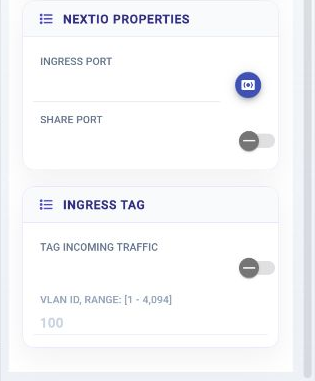
Ingress Port —
Ingress port selection
Initial value:
Required. -
Share Port —
Ingress port is shared with other services
Initial value:
Disabled. -
Tag Incoming Traffic —
Add a default VLAN tag to traffic from this ingress port
Initial value:
Disabled. -
VLAN ID —
Default VLAN ID to add to traffic from this ingress port
Initial value:
100.
Output Port

Sends service traffic to a selected output port.
| Connection | Initial count | Initial pad names | Allowed count | Properties panel |
|---|---|---|---|---|
| Input | 1 | 1 | 1 | Hidden (fixed) |
| Output | None | None | None | Not available |
Configuration Reference
-
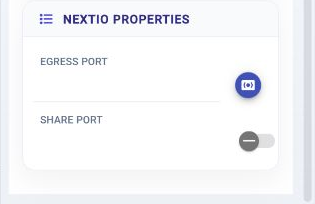
Egress Port —
Egress port selection
Initial value:
Required. -
Share Port —
Egress port is shared with other services
Initial value:
Disabled.
Input Ports

Receives traffic from a selected group of input ports.
| Connection | Initial count | Initial pad names | Allowed count | Properties panel |
|---|---|---|---|---|
| Input | None | None | None | Not available |
| Output | 1 | 1 | 1 | Hidden (fixed) |
Configuration Reference
-
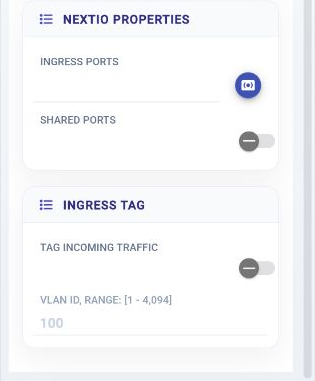
Ingress Ports —
Select ingress port group member
Initial value:
Required. -
Shared Ports —
Ingress port is shared with other services
Initial value:
Disabled. -
Tag Incoming Traffic —
Add a default VLAN tag to traffic from these ingress ports
Initial value:
Disabled. -
VLAN ID —
Default VLAN ID to add to traffic from these ingress ports
Initial value:
100.
Output Ports

Sends service traffic to a selected group of output ports.
| Connection | Initial count | Initial pad names | Allowed count | Properties panel |
|---|---|---|---|---|
| Input | 1 | 1 | 1 | Hidden (fixed) |
| Output | None | None | None | Not available |
Configuration Reference
-
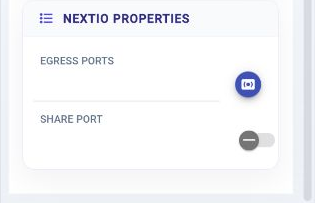
Egress Ports —
Select egress port group member
Initial value:
Required. -
Share Port —
Egress port is shared with other services
Initial value:
Disabled.