Use these components to select traffic, combine inputs, create copies, distribute streams, apply output-specific rules, and mirror selected traffic.
Component Reference
Choose required rules and methods before verification. Changing output counts changes the connectors exposed by the selected component.
NextIO Packet Broker components This page documents 7 components in the NPB Functions palette group.
For the shared Name, Notes, display, and pad-editing controls, see Common Component Properties.
Filter

Packet filter
| Connection | Initial count | Initial pad names | Allowed count | Properties panel |
|---|---|---|---|---|
| Input | 1 | 1 | 1 | Hidden (fixed) |
| Output | 2 | 1, 2 | 1–64 | Count and names editable |
Configuration Reference
-
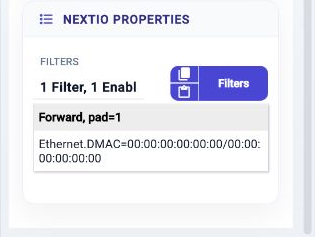
Filters —
Filter definitions and their actions
Initial value:
Pass All.
Aggregator

Traffic aggregator
| Connection | Initial count | Initial pad names | Allowed count | Properties panel |
|---|---|---|---|---|
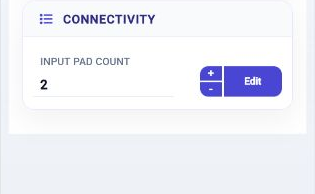
| Input | 2 | 1, 2 | 1–64 | Count and names editable |
| Output | 1 | Egress | 1 | Hidden (fixed) |
Configuration Reference
This component has no additional component-specific settings. Use the common Name, Notes, and display controls as needed.
Replicator

Replicate traffic to multiple egress copies, either share the same packet, share the control or share nothing
| Connection | Initial count | Initial pad names | Allowed count | Properties panel |
|---|---|---|---|---|
| Input | 1 | 1 | 1 | Read-only |
| Output | 2 | 1, 2 | 1–32 | Count and names editable |
Configuration Reference
-
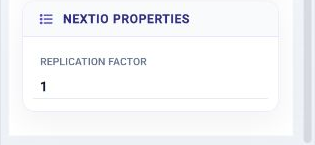
Replication Factor —
For each packet, generate N copies and send through the output pads
Initial value:
1.
Load Balancer

Load balance traffic to multiple egress ports with symmetric selection rules
| Connection | Initial count | Initial pad names | Allowed count | Properties panel |
|---|---|---|---|---|
| Input | 1 | 1 | 1 | Hidden (fixed) |
| Output | 4 | 1, 2, 3, 4 | 1–32 | Count and names editable |
Configuration Reference
-
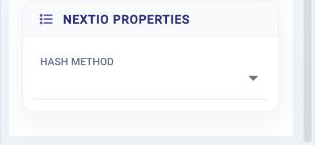
Hash Method —
Select a load balance method to use
Initial value:
Select in the editor.
LB Groups

Replicate traffic to multiple groups then load balance each group to multiple egress ports with symmetric selection rules
| Connection | Initial count | Initial pad names | Allowed count | Properties panel |
|---|---|---|---|---|
| Input | 1 | 1 | 1 | Hidden (fixed) |
| Output | 4 | 1, 2, 3, 4 | 1–4 | Count and names editable |
Configuration Reference
-
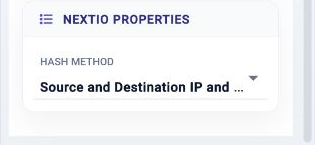
Hash Method —
Select a load balance method to use
Initial value:
Source and destination IP and L4 port.
Port Egress Filter

Port egress packet filter
| Connection | Initial count | Initial pad names | Allowed count | Properties panel |
|---|---|---|---|---|
| Input | 1 | 1 | 1 | Hidden (fixed) |
| Output | 1 | Egress | 1 | Hidden (fixed) |
Configuration Reference
-
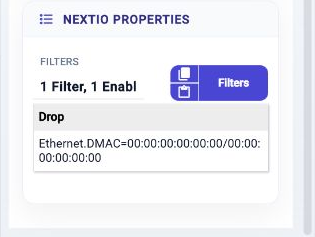
Filters —
Filter definitions and their actions
Initial value:
Drop All.
SPAN

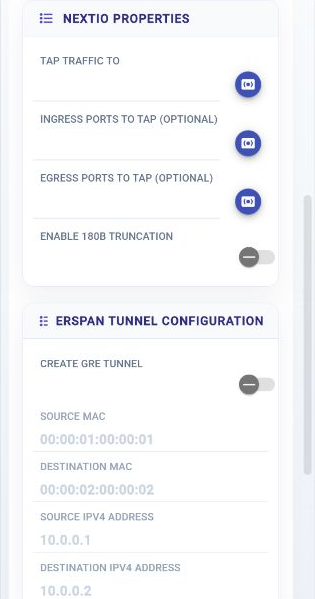
Copies selected ingress or egress traffic to a destination, with optional ERSPAN encapsulation.
| Connection | Initial count | Initial pad names | Allowed count | Properties panel |
|---|---|---|---|---|
| Input | None | None | None | Not available |
| Output | None | None | None | Not available |
Configuration Reference
-
Tap traffic to —
Tap traffic to the selected port
Initial value:
Required. -
Ingress Ports to Tap (Optional) —
Select ingress ports to be tapped
Initial value:
not set.
-
Egress Ports to Tap (Optional) —
Select egress ports to be tapped
Initial value:
not set.
-
Enable 180B Truncation —
Enable packet slicer, truncate the packet down to 180 bytes
Initial value:
Disabled. -
Create GRE Tunnel —
Create GRE tunnel
Initial value:
Disabled. -
Source MAC —
Source MAC
Initial value:
00:00:01:00:00:01. -
Destination MAC —
Destination MAC
Initial value:
00:00:02:00:00:02. -
Source IPv4 Address —
Source IPv4 address
Initial value:
10.0.0.1. -
Destination IPv4 Address —
Destination IPv4 address
Initial value:
10.0.0.2. -
TTL —
Time to live
Initial value:
8. -
Add VLAN —
Add VLAN id
Initial value:
Disabled. -
VLAN Id —
VLAN id
Initial value:
100. -
Strip VLAN in Packet —
Strip VLAN in the original packet
Initial value:
Disabled.