Use these components to combine streams, select traffic, create copies, and distribute traffic across service paths.
Component Reference
Rules and output counts can change the connections exposed by a component. Save and verify the diagram after changing them.
NextIO Packet Broker components This page documents 6 components in the NPB Functions palette group.
For the shared Name, Notes, display, and pad-editing controls, see Common Component Properties.
Multiplexer

Multiplex the traffic inputs to output
| Connection | Initial count | Initial pad names | Allowed count | Properties panel |
|---|---|---|---|---|
| Input | 2 | 1, 2 | 1–64 | Count and names editable |
| Output | 1 | 1 | 1 | Hidden (fixed) |
Configuration Reference
-
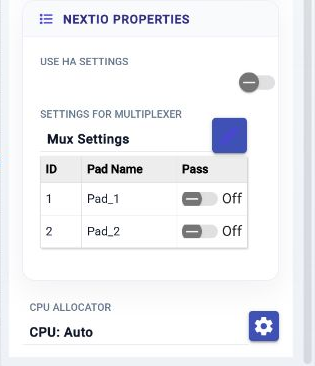
Use HA Settings —
Enable high availability mode
Initial value:
Disabled. -
Mux Settings —
Settings for multiplexer
Initial value:
None. -
HA Instance —
Monitor the state of HA instance
Initial value:
Required. -
HA Active Mux Settings —
Settings for multiplexer when HA is in active state
Initial value:
not set.
-
HA Standby Mux Settings —
Settings for multiplexer when HA is in standby state
Initial value:
not set.
-
Compute Resources —
Allocate compute resource for the service
Initial value:
1 configured item.
Traffic Matrix

Multiplex the traffic inputs to output
| Connection | Initial count | Initial pad names | Allowed count | Properties panel |
|---|---|---|---|---|
| Input | 2 | 1, 2 | 1–16 | Count and names editable |
| Output | 2 | 1, 2 | 1–16 | Count and names editable |
Configuration Reference
-
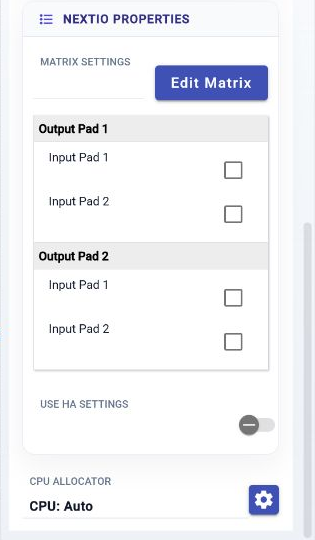
Matrix Settings —
Settings for matrix
Initial value:
None. -
Use HA Settings —
Enable high availability mode
Initial value:
Disabled. -
HA Instance —
Monitor the state of HA instance
Initial value:
Required. -
HA Matrix Settings —
Settings for multiplexer when HA
Initial value:
not set.
-
HA Active Matrix Settings —
Settings for multiplexer when HA is in active state
Initial value:
not set.
-
HA Standby Matrix Settings —
Settings for multiplexer when HA is in standby state
Initial value:
not set.
-
Compute Resources —
Allocate compute resource for the service
Initial value:
1 configured item.
Filter

Packet filter
| Connection | Initial count | Initial pad names | Allowed count | Properties panel |
|---|---|---|---|---|
| Input | 1 | 1 | 1 | Hidden (fixed) |
| Output | 2 | 1, 2 | 1–64 | Count and names editable |
Configuration Reference
-
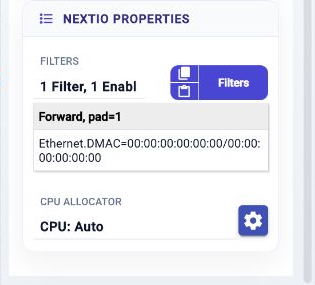
Filters —
Filter definitions and their actions
Initial value:
Pass All. -
Compute Resources —
Allocate compute resource for the service
Initial value:
1 configured item.
Aggregator

Traffic aggregator
| Connection | Initial count | Initial pad names | Allowed count | Properties panel |
|---|---|---|---|---|
| Input | 2 | 1, 2 | 1–64 | Count and names editable |
| Output | 1 | Egress | 1 | Hidden (fixed) |
Configuration Reference
-
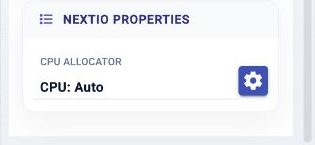
Compute Resources —
Allocate compute resource for the service
Initial value:
1 configured item.
Replicator

Replicate traffic to multiple egress copies, either share the same packet, share the control or share nothing
| Connection | Initial count | Initial pad names | Allowed count | Properties panel |
|---|---|---|---|---|
| Input | 1 | 1 | 1 | Read-only |
| Output | 2 | 1, 2 | 1–32 | Count and names editable |
Configuration Reference
-
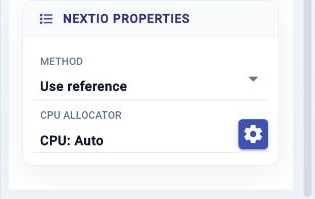
Method —
The replication method used by this component
Initial value:
0. -
Compute Resources —
Allocate compute resource for the service
Initial value:
1 configured item.
Load Balancer
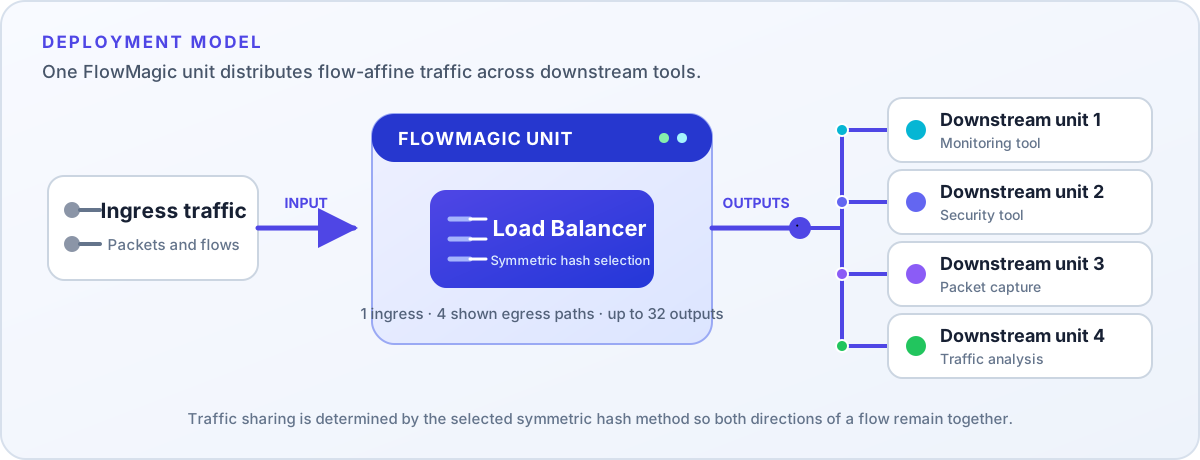

Load balance traffic to multiple egress ports with symmetric selection rules
| Connection | Initial count | Initial pad names | Allowed count | Properties panel |
|---|---|---|---|---|
| Input | 1 | 1 | 1 | Hidden (fixed) |
| Output | 4 | 1, 2, 3, 4 | 1–32 | Count and names editable |
Configuration Reference
-
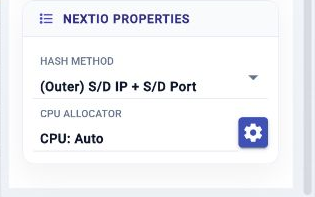
Hash Method —
Select a load balance method to use
Initial value:
osdipport. -
Compute Resources —
Allocate compute resource for the service
Initial value:
1 configured item.